
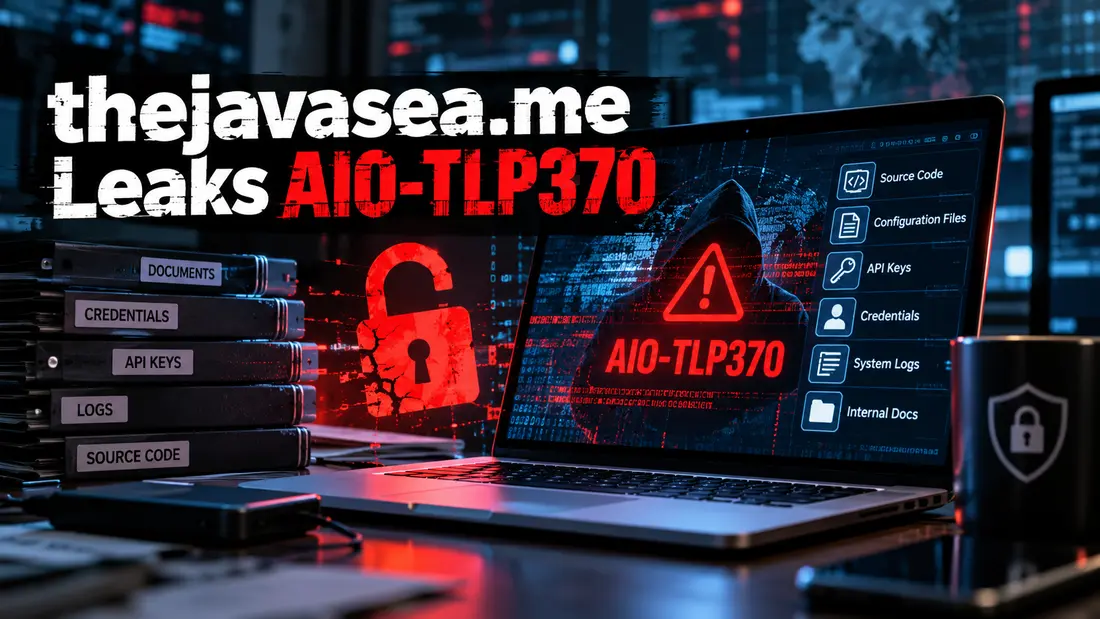
But there is an important distinction between an online claim and a confirmed security incident.
Based on the publicly described information available for this topic, the exact contents of AIO-TLP370, its origin, the identity of any affected organization, and the number of records involved have not been reliably established. That means readers should be careful about treating every detail published online as fact.
So, what does the term mean? What risks could an archive like this pose if it contained real data? And what should you do if you are worried about your own accounts?
Let’s look at the claims, separate them from established facts, and explain the practical steps you can take to protect your information.
What Does Thejavasea.me Leaks AIO-TLP370 Mean?
The phrase combines a website domain with a label that third-party discussions associate with an alleged collection of leaked digital material. Understanding each part helps explain why the term appears in cybersecurity-related searches.
What Is Thejavasea.me?
Thejavasea.me is a domain name associated in online discussions with alleged leaked or redistributed digital material. Some third-party articles connect the domain with AIO-TLP370, but those descriptions do not, by themselves, establish that a verified data breach occurred.
It is also worth remembering that a website mentioned in a leak report is not necessarily the original source of the files. Data can be copied, reposted, mislabelled, or shared without the permission of its original owner.
Without reliable evidence, it would be premature to draw conclusions about the site’s role in a specific security incident.
What Does AIO Mean?
AIO is commonly used as an abbreviation for “All-In-One.” In software and technology, the term often describes a package that combines several tools, files, or features in one collection.
In discussions about AIO-TLP370, some publishers use the abbreviation to describe a bundled archive. However, there is no independently verified description establishing exactly what this particular label represents.
The distinction matters because a familiar abbreviation does not prove that a specific archive exists in the form described.
What Does TLP370 Represent?
The meaning of TLP370 remains uncertain in the context of these claims. Some online articles present it as a version label, batch identifier, or tracking reference, but no authoritative explanation establishes which interpretation is correct.
Readers should therefore treat these descriptions as possibilities rather than confirmed technical details.
Is the AIO-TLP370 Leak Real or Verified?
This is the central question behind searches for Thejavasea.me leaks AIO-TLP370.
The careful answer is that the available descriptions do not establish a confirmed breach tied to this label. Online articles discuss the alleged package, but the claims vary, and the information presented does not establish a verified victim, official incident date, or confirmed number of exposed records.
That does not prove that no files were leaked. It means the available evidence is not strong enough to support a definite conclusion.
What Do Online Reports Claim?
Third-party articles have associated AIO-TLP370 with several types of digital material, including development files, configuration data, credentials, logs, and internal documents.
Some reports also mention specific filenames and dates. Those details should not be repeated as established facts unless they can be independently confirmed.
A page repeating a claim is not the same as a verified incident report. Even several websites publishing similar descriptions may be relying on the same original article rather than separate evidence.
How Can You Judge Whether a Leak Report Is Trustworthy?
Before accepting a report, ask a few simple questions:
-
Does it identify an affected organization with credible supporting evidence?
-
Has the organization acknowledged an incident?
-
Is there a detailed statement from a recognized cybersecurity team or relevant authority?
-
Do independent sources confirm the same facts?
-
Does the article distinguish confirmed details from speculation?
If the answers are unclear, approach the report with caution.
A responsible assessment should leave room for uncertainty. It should not turn an unverified online claim into a confirmed data breach simply because the headline sounds alarming.
What Data Was Allegedly Included in AIO-TLP370?
Descriptions of the alleged AIO-TLP370 archive mention several categories of information. These claims have not been independently established, so they should be understood as reported possibilities, not a verified inventory.
Source Code and Development Files
Some articles claim that the alleged package included source code, scripts, or other development files.
If genuine source code becomes public without authorization, it may reveal how an application works, expose weaknesses, or give attackers clues about its internal design. The level of risk depends on the software, the information exposed, and the security controls already in place.
However, there is no reliable basis for claiming that AIO-TLP370 definitely contains these materials.
Passwords, API Keys, and Access Tokens
Other reports mention usernames, passwords, API keys, and authentication tokens.
These items can be sensitive because they may grant access to email accounts, business applications, cloud platforms, databases, or developer tools. A valid API key, for example, may allow a system to request information or perform actions without a person signing in through a normal login screen.
An exposed secret does not always provide access. It may be expired, restricted, or invalid. Still, suspected exposure deserves attention until the affected organization can assess the risk.
System Logs and Internal Documents
Some descriptions also refer to system logs, IP addresses, timestamps, developer notes, and internal documentation.
Logs can contain details about system activity, login attempts, errors, and network requests. Internal documents may reveal business processes or technical arrangements.
The presence of these materials in AIO-TLP370 has not been verified. Treating them as confirmed contents would go beyond the available evidence.
What Are the Security Risks of Alleged Leak Archives?
Even when a particular leak report remains unverified, the security risks associated with exposed data are real. Understanding those risks helps people make sensible decisions without assuming that every online claim is accurate.
Account Takeover Through Reused Passwords
One common problem with exposed credentials is password reuse.
Imagine using the same password for an old forum, your email account, and an online shopping profile. If the forum suffers a genuine breach, someone who obtains that password may try it on your other accounts.
This is known as credential stuffing. Attackers use previously exposed login details to attempt access to other services.
Using a different password for every account makes this approach far less useful to them.
Unauthorized Access Through Exposed API Keys
API keys and access tokens can give applications permission to communicate with other systems. If a valid key is exposed, an unauthorized person may be able to use the permissions attached to it.
For businesses, the consequences could include unauthorized data access, unexpected service charges, or changes to cloud resources.
The response depends on the key’s access level. A restricted key presents a different risk from one with broad administrative permissions.
Phishing and Identity Theft
Information from a genuine data leak can help criminals create more believable phishing messages.
For example, a message might refer to a service you use, imitate a familiar support team, or claim that your account needs urgent attention. The aim is often to persuade you to reveal a password, share a verification code, or open a harmful attachment.
You do not need to appear in a confirmed breach to receive such a message. Fraudulent warnings can also use public headlines to create fear.
Malware From Unknown Downloads
Searching for alleged leak archives can lead people to untrusted websites and files.
An archive advertised as a collection of documents may contain harmful software or direct visitors to deceptive login pages. Its filename and description do not establish that it is safe.
Avoid downloading or running unknown files to investigate a claim. You can assess the available reporting and take protective steps without handling potentially stolen material.
How to Protect Yourself From Possible Data Exposure
You do not need to know whether AIO-TLP370 is genuine to improve your account security. A few practical steps can reduce the risk of someone misusing your information.
1. Check Whether Your Email Appears in Known Breaches
Use a reputable breach-notification service to check whether your email address appears in its known breach records.
A match does not automatically mean your account is currently compromised. It indicates that your information has been associated with a reported incident in the service’s database.
Likewise, no match does not guarantee that your information has never been exposed. New incidents may not yet be listed, and some datasets are never made public.
Avoid entering passwords into unfamiliar websites that promise to check whether you have been affected.
2. Change Reused or Exposed Passwords
If you discover that a password was exposed, change it immediately on the affected service. If you used the same password elsewhere, update those accounts as well.
Choose a different, strong password for every account. A password manager can help you create and store unique passwords without having to memorise each one.
If you suspect that someone has already accessed an account, use its official recovery process and review the account’s security settings.
3. Enable Multi-Factor Authentication
Multi-factor authentication, or MFA, adds another verification step when you sign in.
Depending on the service, this may involve an authenticator app, a security key, or a code sent to your phone. An authenticator app or hardware security key is generally preferable to SMS when the service supports it.
MFA can make it harder for someone to enter your account using only a stolen password.
Enable it first on your email account, password manager, financial accounts, and other services that could be used to reset your credentials elsewhere.
4. Review Recent Account Activity
Check your account security pages for signs of activity you do not recognise.
Look for:
-
Logins from unfamiliar devices or locations.
-
Password reset requests you did not initiate.
-
New recovery email addresses or phone numbers.
-
Unexpected changes to email forwarding rules.
-
Unknown connected applications or active sessions.
If something looks suspicious, sign out other sessions, remove unrecognised access, change your password, and follow the service’s account recovery guidance.
5. Watch for Fake Security Warnings
A headline about a data leak can become a useful tool for scammers.
You might receive an email claiming that your information appeared in AIO-TLP370, followed by a link asking you to confirm your identity. The sender may use urgent language to make you act before checking the message.
Do not trust the message simply because it mentions the same keyword you searched for.
Open the service’s official website or app independently. Never share your password, recovery codes, or multi-factor authentication codes with someone who contacts you unexpectedly.
6. Avoid Downloading the Alleged Archive
Downloading an unverified collection is not a reliable way to find out whether your personal information has been exposed.
It may introduce malware, expose you to deceptive websites, or put you in contact with material that was obtained without authorization.
Use reputable security resources and official incident announcements instead. If you believe your information has been misused, secure your accounts and contact the relevant service through its official support channel.
What Should Businesses Do About Potential Credential Exposure?
Businesses face a different set of challenges because exposed credentials may provide access to systems used by employees, customers, contractors, and service providers.
Even without confirmed evidence connecting a company to AIO-TLP370, standard incident-response practices can help limit the damage from a real exposure.
Audit Repositories and Cloud Settings
Security teams should review source code repositories, cloud environments, developer tools, and automated deployment systems for exposed passwords, API keys, tokens, certificates, and database connection details.
Automated secret-scanning tools can help identify sensitive values that have been committed to code or stored in unsafe locations.
Revoke and Replace Exposed Secrets
If a secret may have been exposed, removing it from a file is not enough. Someone may already have copied it.
Revoke the old credential, create a replacement, and update the systems that depend on it. Check that the replacement works and that the old one can no longer be used.
Where possible, use short-lived credentials and limit each secret to the access required for its task.
Monitor Authentication and API Logs
Review logs for unusual sign-in attempts, unexpected API requests, unfamiliar devices, and activity involving privileged accounts.
Look for changes that do not fit normal usage patterns, such as unusual access times or requests from unexpected sources.
If evidence points to an active compromise, follow the organization’s incident-response plan and involve qualified security staff.
Limit Access and Improve Secret Storage
Not every employee or application needs access to every system. Restricting permissions can reduce the damage if one account or credential is compromised.
Businesses should also use secure secret-management systems, enable multi-factor authentication for administrative access, apply security updates, and test their recovery procedures.
These measures help protect systems against many kinds of credential exposure, whether a specific online leak claim is later confirmed or not.
How to Verify Claims About Online Data Leaks
When a leak becomes a popular search topic, repeated claims can make an uncertain story appear more credible than it is. A careful reader should look beyond the headline and examine the evidence behind it.
Look for Official Incident Disclosures
An affected organization may publish a security notice explaining what happened, which systems were involved, and what customers should do. Relevant cybersecurity authorities may also publish advisories when an incident warrants public attention.
An official statement is not the only possible source of reliable evidence, but it can help establish what is known.
Compare Independent Sources
Look for reporting that provides original evidence rather than repeating another website’s description. Several articles may use similar wording because they rely on the same unverified claim.
Check whether each report adds independently confirmed information or simply repeats details from earlier posts.
Check Dates and Technical Details
Publication dates, filenames, screenshots, and technical descriptions can provide context, but none proves a breach on its own.
For example, a file bearing a date does not necessarily establish when the data was obtained or published. A screenshot may also be incomplete, altered, or unrelated to the incident being discussed.
Separate Facts From Speculation
A trustworthy article should make clear which details are confirmed, which come from third-party claims, and which remain unknown.
For AIO-TLP370, the most defensible approach is to describe the online claims without presenting an alleged victim, archive contents, or incident date as established fact.
Frequently Asked Questions
1. What is Thejavasea.me leaks AIO-TLP370?
The phrase refers to online discussions about an alleged leak archive associated with the domain Thejavasea.me. Third-party articles describe it as a bundled collection of digital files, but its exact contents and origin have not been independently established.
2. Is the AIO-TLP370 leak confirmed?
The available descriptions do not establish a confirmed breach associated with this label. Claims about the archive should be treated cautiously unless credible evidence or an authoritative incident disclosure becomes available.
3. What does AIO-TLP370 mean?
AIO is commonly used to mean “All-In-One.” Some articles interpret TLP370 as a version, batch, or tracking identifier. However, the exact meaning of the complete label has not been confirmed by an authoritative source.
4. What data was allegedly included in AIO-TLP370?
Online reports mention source code, configuration files, credentials, system logs, and internal documents. These are allegations, not a verified list of the archive’s contents.
5. Can Thejavasea.me leak claims put my accounts at risk?
The search term itself does not establish that your accounts are affected. However, exposed passwords and authentication tokens can create real risks if they are valid. Use unique passwords, enable MFA, and review account activity if you have concerns.
6. How can I check whether my email appeared in a known data breach?
Use a reputable breach-notification service that checks email addresses against known breach records. A match does not automatically mean your account is compromised, while a missing match cannot guarantee that your information has never been exposed.
7. Should I download the AIO-TLP370 archive?
No. Downloading an unverified archive is not a safe or necessary way to investigate a leak claim. Unknown files may contain malware, and handling stolen data can create legal and security concerns.
8. What should I do if my password appears in a data leak?
Change the password on the affected account and any other account where you reused it. Enable MFA, review recent sign-ins, and remove unfamiliar sessions or connected applications.
9. How should businesses respond to exposed API keys?
Businesses should revoke and replace affected keys, review access permissions, inspect authentication and API logs, and check for unauthorized activity. They should also investigate how the secret became exposed and prevent similar incidents.
10. How can I tell whether an online data breach report is trustworthy?
Look for official statements, independently verified reporting, clear dates, and evidence supporting the claims. Be cautious when multiple websites repeat the same details without identifying an original source.
Final Thoughts
The search term Thejavasea.me leaks AIO-TLP370 raises questions about an alleged collection of leaked digital material, but the available descriptions do not establish a confirmed breach or verify the archive’s contents.
That distinction matters. Readers should not assume that every claim about exposed passwords, source code, or private records is true simply because it appears across multiple websites.
At the same time, online security deserves attention regardless of this particular claim. Use unique passwords, enable multi-factor authentication, check account activity, and treat unexpected security messages with care. Businesses should review access permissions and replace any credentials that may have been exposed.
The best response to an uncertain leak report is to verify the evidence, protect your accounts, and avoid taking unnecessary risks.
Read Also: Jones MyGreenBucks Net: Kenneth Jones, Website Details, and Legitimacy